
6 Best Online Fax Services for Medical Practices
 Zain QayyumLast Updated: Oct 5, 2026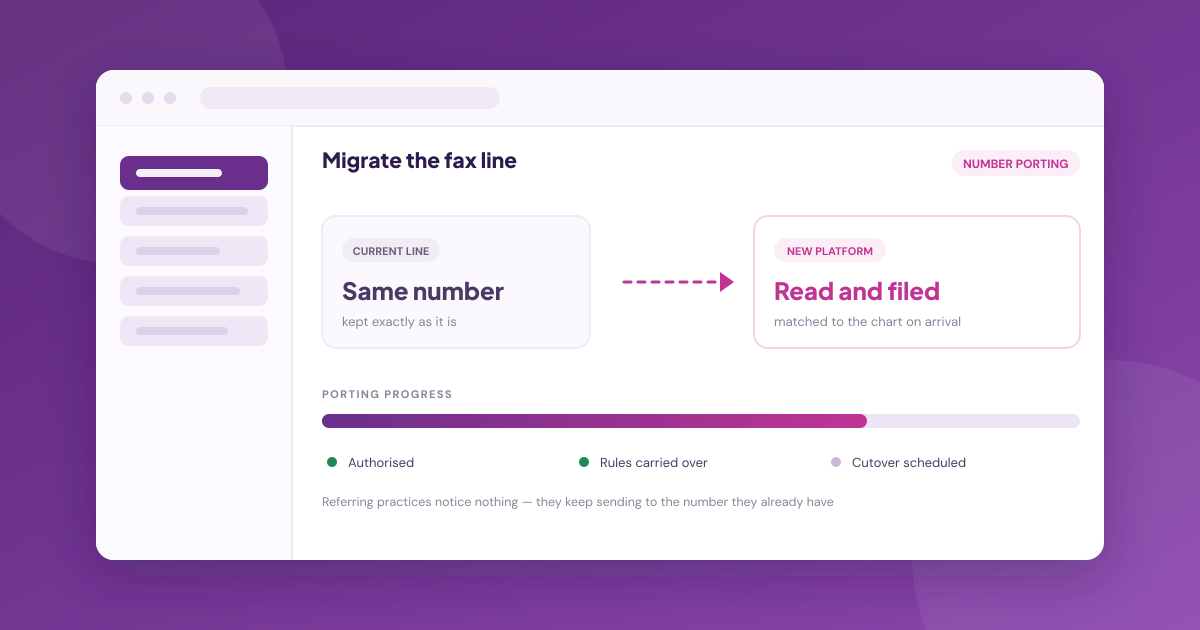
TL;DR
- An online fax line and an artificial intelligence (AI) fax platform solve different problems; only one removes the filing work.
- Number porting is the switching cost that matters, because referrers keep sending to the number they have.
- Medsender ports your existing number and handles the transfer, so referrers are unaffected.
- Ask whether the vendor files to the patient chart or only delivers a document to an inbox.
- Health Insurance Portability and Accountability Act (HIPAA) compliance and a signed business associate agreement (BAA) should be included, not an upgrade.
- Compare on documents filed per week, not on pages included in the plan.
Practices switch fax vendors when the document arrives as a PDF and a person still has to read it, name it and file it. The alternatives worth comparing do that reading: they identify the patient and document type, then file to the chart. Porting the existing number is what makes the switch invisible to referrers.
Why Practices Outgrow a Basic Online Fax Line
An online fax service solved the first problem: the machine, the paper and the busy signal. It did not solve the second.
The fax still arrives as an image, and somebody at the front desk opens it, works out which patient it belongs to, decides what kind of document it is, renames it and drags it into the chart. That work did not go away when the paper did.
This is why cost per page is usually the wrong comparison. At a few cents a page, the line is rarely the expense; the expense is the hours spent handling what arrives on it.
A practice receiving 3,000 pages a month is not really buying transmission. It is buying, or failing to buy, the removal of several hours a day of reading and filing.
What to Compare Instead of Price Per Page
Three questions separate a fax line from a fax platform, and they are worth asking in this order.
Does It Read the Document, or Only Deliver It?
A platform that reads the document identifies the patient it belongs to and classifies what kind of document it is, so routing can happen without a person deciding. Ask how exceptions are surfaced when it cannot tell, because a system that quietly guesses is worse than one that asks.
Does It File to the Chart?
Delivering to an inbox moves the work; filing to the chart removes it. A named electronic health record (EHR) integration is stronger evidence than a general compatibility claim, but it is not proof on its own, so confirm what the connection actually does and whether it writes back.
Can It Port Your Number?
Referring providers have your fax number in their system and will keep using it. If a new vendor cannot port it, every referrer has to be told, and some will not update. The port is what takes the time, not the platform, so settle who owns it on the vendor side before comparing anything else.
Online Fax Services at a Glance
The table summarises six alternatives on the attributes that decide a switch. An application programming interface (API) is the developer route into a fax service:
| Platform | Best For | Reads and Files Documents | Named EHR Integrations | Compliance stated | Published Pricing |
|---|---|---|---|---|---|
| Medsender | Read and filed to chart | Yes | 35 named, 46 on request | HIPAA, SOC 2 Type II, BAA | Fax API only |
| Updox | Fax inside a wider inbox | Partial | None named | HIPAA, AES 256 | No |
| Documo | Developer-first fax API | API-dependent | 4 named | HIPAA, SOC 2 Type II | No |
| Concord | Health systems and payers | Yes | None named | HIPAA, HITRUST, SOC 2 | No |
| Notifyre | Low-cost compliant line | No | None named | HIPAA, BAA available | Yes |
| Retarus | Enterprise Epic and Cerner sites | Partial | Epic, Cerner | HIPAA, SOC 1 and SOC 2 | No |
The 6 Best Online Fax Services for Medical Practices
Each entry below follows the same structure: what it is, key features, pricing as published, and the honest trade-offs.
Medsender: Best Overall for Having the Fax Read and Filed, Not Just Delivered
Medsender receives the fax and does the work that normally follows it: documents are read, titled and sorted automatically, then filed into the patient chart where the EHR supports it. The practice keeps its existing number and EHR.
Key features:
- Fifteen new faxes read, titled and sorted in under 5 seconds, per the figures shown on Medsender's site.
- Chart creation and write-back happen automatically where the EHR supports it, and the document is filed where it does not.
- 35 named EHR and electronic medical record (EMR) integrations available, with 46 more on request, including ModMed EMA, athenaOne, AdvancedMD, Ezderm and NextGen.
- Number porting handled by Medsender: "We port your existing number so nothing changes on your end."
Pricing: Platform pricing is quote-based and varies by monthly volume and contract length, with the fax automation starting price including up to 3,000 pages a month. Developer API pricing is published separately from the platform, so confirm the current rate for the tier you need.
Pros: The filing work is removed rather than relocated, and every named EHR has its own integration page not appearing only in a count. The platform is HIPAA compliant and System and Organization Controls (SOC) 2 Type II certified, with a signed BAA included at no additional cost.
Cons: Platform pricing is not published, so the quote depends on your volumes. Write-back depth varies by EHR instead of being uniform. A practice that genuinely only wants a cheaper line is buying more than it needs.
Updox: Best for Fax Inside a Wider Communications Inbox
Updox is the incumbent many practices already run. It combines electronic fax with Direct secure messaging, secure text, telehealth and forms in one inbox, and is part of EverCommerce. For a practice wanting one place for all patient and provider communication and not a specialised document platform, that breadth is the appeal.
Key features:
- Electronic fax alongside Direct secure messaging and secure text.
- Telehealth, forms and appointment reminders on the same platform.
- Integration across a wide range of EHRs, though the vendor states a count without naming systems individually.
- Long-established presence in out-of-hospital healthcare communication.
- States HIPAA compliance, with a security statement describing Advanced Encryption Standard (AES) 256 encryption and Transport Layer Security (TLS) in transit.
Pricing: Not published on the vendor site; plan names are listed without figures.
Pros: Breadth of communication tools in one place, and a large installed base means staff familiarity is common. Its security statement is more detailed than most here, noting annual independent SOC 1 and SOC 2 reports, though those audits cover the data centres and not Updox itself.
Cons: Fax is one channel among several instead of the focus, so document reading and chart filing are lighter than in a purpose-built platform. No pricing is published.
Documo: Best for Teams That Need a Developer-First Fax API
Documo is built for sending and receiving fax programmatically. If the requirement is to embed faxing into a product or an internal system, not to give front-desk staff a better inbox, this is the shape of tool that fits.
Key features:
- A fax API for programmatic send and receive.
- Cloud fax for teams alongside the developer product.
- Documentation aimed at engineering teams not practice staff, so setup assumes developer resource.
- Seven named integrations including ModMed, NextGen Healthcare, eClinicalWorks, PointClickCare and Jane, with athenahealth listed as coming soon.
- States HIPAA and SOC 2 Type II compliance.
Pricing: Not published on the site.
Pros: Strong developer ergonomics for teams building fax into their own workflow.
Cons: A practice without engineering resource gets a fax line instead of a solution, because what happens to the document after delivery is left to whoever builds the integration. The named list is shorter than a full-platform vendor's, and athenahealth is still listed as coming soon, so confirm your own system before committing. The total cost therefore includes development and ongoing maintenance that does not appear in any vendor quote.
Concord: Best for Health Systems and Payers Moving Document Volume
Concord Technologies sells cloud fax alongside intelligent document processing, describing "straight through processing for healthcare" and AI-powered workflows with data extraction. The customer base is hospitals and health systems, healthcare payers, pharmacy operations and federally qualified health centers (FQHCs).
Key features:
- Cloud fax with Direct secure messaging and secure file transfer.
- Intelligent document processing with data extraction.
- Compliance coverage spanning HIPAA, HITRUST, PCI DSS and SOC 2.
- Built for organisations moving document volume at system scale, where throughput matters more than front-desk workflow.
Pricing: Not published.
Pros: Document processing is sold as its own product and not bundled into the fax line, and the compliance coverage suits enterprise procurement.
Cons: No EHR is named as an integration, only Salesforce and custom connections, so a practice would need to confirm its own system individually. The positioning is toward health systems, payers and pharmacy operations rather than independent practices, which shows in the procurement process as much as the product. Expect an enterprise sales cycle.
Notifyre: Best for a Low-Cost Compliant Fax Line
Notifyre is the honest answer for a practice whose problem really is the line. It offers a HIPAA compliant fax service for sending, receiving and managing electronic fax, and it publishes its rates, which most vendors in this category do not.
Key features:
- HIPAA compliant sending and receiving with published rates.
- Fax sending at $0.03 per page, and receiving from $4.90 a month for 200 pages.
- Web, email and API sending options.
- Serves general business alongside healthcare, so healthcare workflow is not the design centre.
Pricing: Published, which is unusual in this category and makes budgeting straightforward.
Pros: Transparent pricing and low entry cost for a compliant line.
Cons: This is a fax line, not a document platform. Nothing reads the document or files it to a chart, so the staff time that prompted most switches remains exactly where it was. A practice moving purely to cut line cost will be satisfied; a practice moving because filing consumes hours a day will have solved the wrong problem.
Retarus: Best for Enterprise Sites Running Epic or Cerner
Retarus sells enterprise cloud fax with named healthcare integrations, stating "HIPAA-compliant messaging for Epic, Cerner and more" and publishing a dedicated cloud fax connector for Epic. Customer references are large health systems, and the product is built around delivery reliability at volume instead of front-desk workflow.
Key features:
- Named integrations with Epic and Cerner, including a dedicated Epic connector.
- Enterprise-grade cloud fax infrastructure with delivery guarantees.
- HIPAA-compliant messaging across healthcare workflows, with solutions the vendor states are SOC 1 and SOC 2 certified.
- Track record with large hospital systems, with published customer references at health-system scale.
Pricing: Not published.
Pros: A named Epic connector is published, which matters for hospital-affiliated practices running Epic.
Cons: Enterprise procurement and enterprise scale, with the sales cycle that implies. An independent specialty practice running ModMed EMA or athenaOne gets nothing from the Epic and Cerner focus, and no pricing is published to size the commitment. The delivery guarantees that justify the platform matter most at volumes a single-site practice will not reach.
What Switching Actually Involves
Porting runs in parallel with setup, not after it. The existing line normally stays live until the port completes, so documents keep arriving while the new platform is configured. The questions worth settling before signing are narrow: who manages the port on the vendor side, how long it is expected to take, and where documents land during the cutover window.
Medsender states it handles the transfer, with no number changes required of the practice. Whichever vendor you choose, get the answer to the cutover question in writing, because documents arriving during a switch are the ones most likely to go missing.
Deciding Which Online Fax Service Fits
The six alternatives answer different versions of the complaint, and a practice that has not decided which complaint it has will shortlist on price and be disappointed.
- If the problem is what happens after the fax arrives, the sorting, the naming, the filing, Medsender and Concord both read the document rather than only delivering it. Medsender suits a practice; Concord is built for health system and payer volume.
- If the problem genuinely is the line, Notifyre publishes its rates and keeps the bill small, and there is no reason to pay for document intelligence you will not use.
- If you run Epic or Cerner at a hospital-affiliated site, Retarus is built for that environment and its healthcare messaging is aimed squarely at it.
- If fax needs to live inside one inbox with secure messaging, text and forms, Updox is the incumbent that already does that, and many practices are running it without having chosen it.
- If you are embedding fax into your own software, Documo is the fax API, and a front-desk inbox is not what you are buying.
Two things were consistent across every vendor site reviewed. Pricing is published by the platforms competing on cost and withheld by the platforms competing on what they do with the document, which tells you where each one expects the conversation to go. And almost none of them describe the exception path, what happens to a fax the system cannot identify, even though that queue is the one that decides whether staff hours actually fall.
Work out first whether your staff time goes into receiving faxes or into processing them. A practice paying per page for a problem that is really labour will switch vendors and find the same hours gone.
For a practice whose hours go into processing rather than receiving, Medsender is the alternative that fits. It reads the document, titles and sorts it, and files it to the chart where the EHR supports it, which is the step a cheaper line leaves exactly where it was. The existing fax number is ported, so the practices sending to it never know anything changed.
FAQs
What Is the Difference Between an Online Fax Service and an AI Fax Platform?
An online fax service delivers the document as a PDF. An AI fax platform reads it, identifies the patient and document type, and files it to the chart. The first removes the fax machine, and the second removes the filing work that follows it.
Can We Keep Our Fax Number if We Switch?
Yes. Medsender ports the practice's existing fax number, stating that nothing changes on your end, and handles the transfer. Start the port before the rest of the setup, and get in writing where documents land while the number is in transit.
Is a HIPAA Compliant Fax Service Enough on Its Own?
Compliance is the floor, not the differentiator, since most healthcare fax vendors are HIPAA compliant. Ask whether a signed BAA is included at no extra cost, as it is with every Medsender account, and confirm how documents are protected at rest.
Does an Online Fax Service Work With Our EHR?
Check for a named integration instead of a general claim of compatibility. Medsender lists 35 named EHR and EMR integrations as available with 46 more on request, including ModMed EMA, athenaOne, AdvancedMD, Ezderm and NextGen, and states write-back depth per system and not offering a single blanket figure.
How Should We Compare the Cost of Switching?
Compare filed documents per week, not pages included in the plan. A cheaper line that still requires staff to read and file every page costs more in total than a platform that files automatically, once the hours are counted against it at real staffing rates.
What Happens to Documents During the Switchover?
Ask the vendor directly, because this is where practices get caught out. Confirm whether the old line stays live throughout porting, where documents arriving mid-cutover land, and who is watching that queue until the new routing is confirmed working end to end.

Zain Qayyum
Chief Executive Officer
Zain Qayyum is co-founder and co-CEO of Medsender. He started the company in 2015 and has spent the decade since on the front-office work that decides whether a referred patient is ever seen: inbound fax, referral backlogs, and phones nobody has time to answer. He argues that healthcare's hardest problems are operational rather than technical, and speaks and writes on where AI genuinely helps a practice and where it overpromises. He is based in New York.
Related Signals
7 Best Referral Management Software Platforms for Specialty Practices
Zain QayyumWed, Sep 23, 2026
6 Best AI Automation Software Platforms for Medical Practice Administration (2026)
Zain QayyumFri, Sep 11, 2026